Free · No ads · No account · Works offline
A chalkboard that behaves like chalk.
Flick the stick fast and the line breaks up into feathering. Drag it slow and the dust packs up thick. Lay an Apple Pencil on its side and you get the broad edge of the chalk — an ellipse, not a fatter circle.
Download on the App StoreiPad and iPhone · iOS 16 or later · Landscape
Why the strokes look like chalk
Stamped grain, not a traced line
Nothing in Flying Chalk is drawn with a path. Every stroke walks its own route and stamps a grainy mark at each step, each one rotated and nudged at random. That is why the edge of a line is ragged instead of vector-smooth, and why two strokes crossing look like dust on dust.
Speed changes the stroke, not just the width
Move fast and the stamp goes lighter and thinner — the gaps you get on a real board when the chalk skips. Slow down and the marks overlap until the line goes solid and chalky.
Tilt is real, fingers stay round
With Apple Pencil, tilt widens the contact patch and stretches it into an ellipse along the pen's direction — the side stroke of a broken stick. Draw with a fingertip and the mark stays a clean circle, because a finger has no tilt to read.
Undo replays, it never snapshots
Only points and a seed are stored, never pixels. Undo five times and redo five times and the grain lands exactly where it was — no shimmer, no re-rolled speckles.
What you get to draw with
A drawer of different sticks
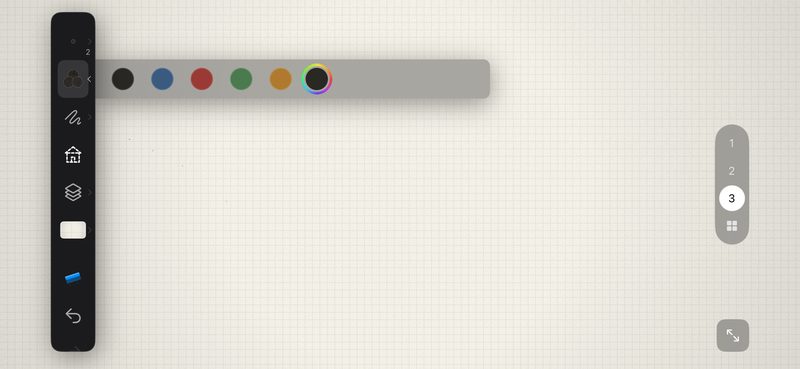
Chalk, crayon, oil pastel, charcoal, pencil, pen, marker, ink brush. Each one is a different set of grain, spacing and pressure numbers — not one brush with a filter on top.
Surfaces, not background colours
Chalkboard, green board, black card, whiteboard, sketch paper, kraft paper, Xuan paper, grid, ruled, Tian Zi Ge and a music staff. Every one has its own noise and vignette instead of a flat fill.
Shapes drawn in the same chalk
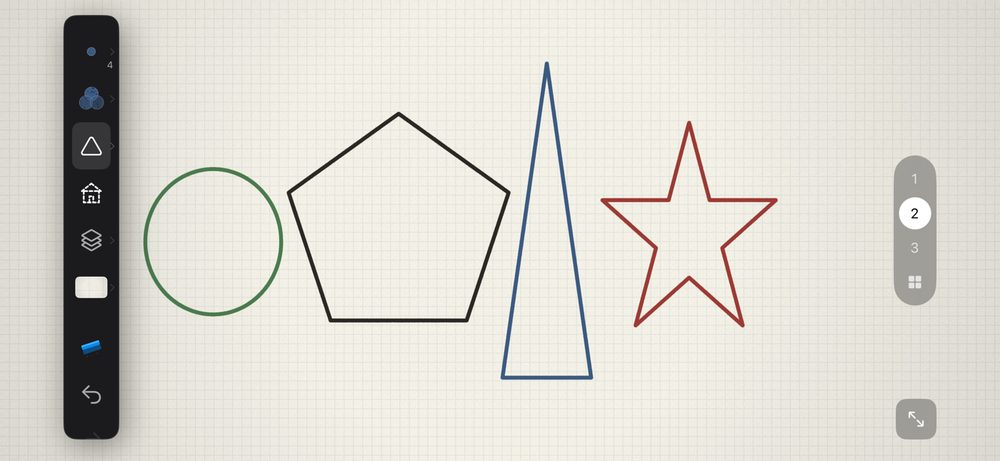
Line, rectangle, ellipse, arrow, double arrow, triangle, right triangle, diamond, star, pentagon, hexagon — all stamped in the same chalk, so a rectangle still looks hand-laid.
Layers and pages
Stack layers on one board, flip through pages, and carry a drawing over to another surface without losing it.
Doodles to trace, step by step
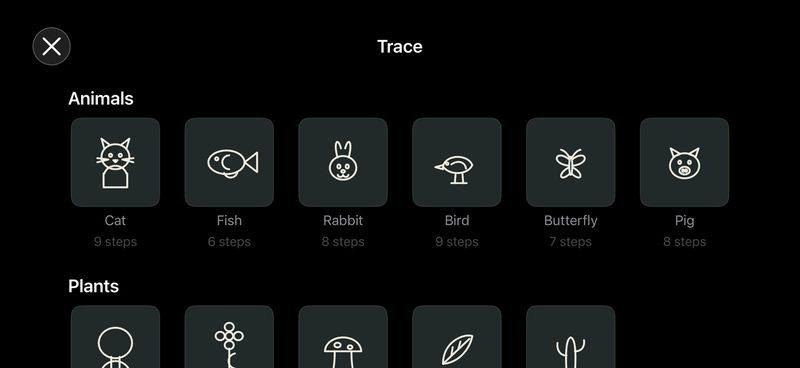
Cat, rabbit, butterfly, sailboat, rocket, cactus, donut and more — each broken into steps. The point isn't the picture, it's the stroke order.
Import a photo
Drop an image onto the board and draw over it — trace a diagram, annotate a page, or just chalk on top of it.
On the board
Made for a table, not a mouse
Teaching over screen share
No ads to interrupt, nothing overlaying the board. What your class sees is the board.
Palm rejection
Switch to Apple Pencil only and rest your whole hand on the glass — the palm leaves nothing behind.
The toolbar gets out of the way
The moment the tip touches down, the side rail fades back and stops taking taps. Lift off and it returns.
Zoom in up to 1000×
Pinch in to lay down a fine detail, pinch back out to see the whole board.
Chalk sound
The dry scrape as you write, and the wipe animation when you clear the board. Both can be turned off.
Save and share
Send the board to Photos or straight out through the share sheet.
Nothing to sign up for
Flying Chalk is free with no ads and no in-app purchases. There is no account and no server: your drawings stay on the device and never leave it. The app collects nothing and tracks nothing — the only thing it stores is your preferences, like stroke width and custom colours.
The app itself speaks your language too, and lets you switch inside it.